Showing posts with label Blogger Guides. Show all posts

Tuesday, 6 March 2018

List Of Top Free Web Hosting Sites


top 10 free web hosting providers

Web hosting is a need of every webmaster.All professional blogger always buy web hosting before starting any website.Web hosting makes your site easy to access and provide storage space for your personal or business websites.Web Hosting sites maintain your website on their its computers and provide you some great related services like hard disk space,free email box,backup,security,credit card processing,sub domains,site builder,auto script installer etc.In simple words we can say that web hosting makes your site visible on internet world and provide you some great professionals services.But buying a web hosting may be very costly for newbies.For those who are not able to buy premium web hosting there is many sites who provides free web hosting with almost all premium services.Today i am going to share some good sites who provides free web hosting.


List of Top Free Web Hosting Providers Sites :

 Unlimited Web Hosting Providers :

www.3jelly.com
www.000webhost.com
www.nazuka.net
www.hostinger.in
www.host.lc

Other Web Hosting Providers :

www.hourb.com
www.freehostia.com
www.sanwap.net
www.idhostinger.com
www.zeetahost.com
www.fav.cc
www.arealhost.com
www.1freehosting.com
www.freeola.com
www.biz.nf
www.x90x.net
www.gegahost.net
www.freehostingeu.com
www.3owl.com
www.cwahi.net
www.powrhost.com
www.gumhost.com
Awardsapce.net
www.biz.ly
www.x10hosting.com
www.hostyd.com
www.byethost.com
www.bugs3.com
www.host1free.com
www.xtreemhost.com
www.hostyg.com
www.blackfly.co.in
www.googiehost.com
www.x4x.us 

Choose any of the above free web hosting  sites and make your site live on internet world.All above sites are best but i recommend 3jelly,000webhost and xtreemhost.If you know any other best free hosting provider site please inform us in comment box and also share your problems facing with above sites.

Thursday, 22 February 2018

How To Remove Showing Posts With Label From Blogger

Remove Showing Posts With Label

Hello friends,I hope you are enjoying our simple blogger tricks.Today i am going to share one more amazing blogger trick.It gives nice and professional look to your blog.In default blogger template when you click on any label in your blog showing posts with label message shows above label related posts.Some bloggers like this message and some don't like it.For those who want to remove this message we created a small tutorial with pictures.Follow below tutorial to remove showing posts with label from blogger.

How To Remove Showing Posts With Label From Blogger : 

  • Go to www.blogger.com and Login your account.
  • Now go to your Blog Dashboard>Template.
  • Click on Edit HTML Button.
  

  • Now click anywhere in your blog HTML coding and search for below Code Using Ctrl+F :
<b:includable id='status-message'>
  • Now Click on arrows next to it to expand full code and remove below HTML code from your template coding.

<b:includable id='status-message'>
      <b:if cond='data:navMessage'>
      <div class='status-msg-wrap'>
        <div class='status-msg-body'>
          <data:navMessage/>
        </div>
        <div class='status-msg-border'>
          <div class='status-msg-bg'>
            <div class='status-msg-hidden'><data:navMessage/></div>
          </div>
        </div>
      </div>
      <div style='clear: both;'/>
      </b:if>
    </b:includable>


  • Replace it with below code.

<b:includable id='status-message'>
<b:if cond='data:navMessage'>
<div>
</div>
<div style='clear: both;'/>
</b:if>
 </b:includable> 
 
remove showing post from labels


  • Now click on save template.
  
That's it you have successfully removed showing posts with label from blogger.To confirm click on any label in your blog now no message with display only posts with related label will be shown.
Please share your ideas,thoughts and problems in comment box below.Thank you...keep visiting...

Monday, 5 February 2018

How to create a free blog/site on blogger?

how to create a free blog


Blogging is becomes so popular in last some years.Everyone want to create own blog/site.Main reason behind create blog/site for many bloggers is to make some money online.We can easily earn money online by showing Google AdSense or any other Advertising placement services Ads on our blogs.Blogger is a free blog publishing service By Google.It Is Developed By Pyra Labs,which was bought by Google in 2003.Blogger provide us a subdomain and lifetime hosting free of cost we need only one Google account to create a blog/site on Blogger.You can also use your own custom domain and hosing in blogger.There is many others site also where we can create free blog/site like WordPress,Typad,Sharpoint etc.If you are newbie than blogger is best choice to create your first blog/site.Follow below simple steps to create your blog site :

How To Create Site On Blogger ?


  • Sign in using your Google account.[If you don't have account click on create an account and create your Google account for free]
  • Now click on New Blog Option ( Left side on your screen.)
  • A pop-up window like below picture open automatically.


  • Now Enter Title And domain address of your blog & Choose Template for your blog.
  • Now click on create Blog ! button below.That's it you have successfully created your blog.

How To Write A Post In Your Blogger Blog ?

  • Go To www.blogger.com
  • Sign in with your Google account.
  • You already created a blog in blogger using above instructions.Now when you sign in you see something like below picture.


  • In front of your blog name you can Edit Icon,
  • Now Blogger post editor will open.
   

Some Features of Blogger Post Editor :

  • You can enter your post title in Post Title Box & A big blank box below your post title is your post body.
  • You can change font style of your post body.
  • You can change font size.
  • You can change format of your text.
  • You can make your blog text Bold,Underlined,Strike-through.
  • You can change text color & text background color.
  • You can insert link/hyperlink,Image,Video in your post.
  • You can change Alignment of your post body.
  • You can add Numbered List,Bullet List,Quote.
  • You can change post settings Like labels,Schedule,Permalink,Options etc. By clicking on Right Side corner options.


  • You can check preview of your post by clicking on Preview Icon,
  • And Last And Important You can Publish your post on your blog by clicking on 
    Publish Icon.
We hope Above instructions helps you to create free blog/site on Blogger.After creating your site or blog submit your site your google and other search engines to get some traffic.Still if you are facing any problem or want to ask anything you can comment below i feel happy if i can help you.

Friday, 29 December 2017

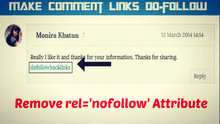
How To Make Blogger Comments Links Do-follow


make comment links do-followAlmost every blogger or webmaster knows about the do-follow and no-follow attributes.If you are newbie, i am going explain what we mean by do-follow and no-follow attribute.Search engines like google,bing,yahoo etc. use links to index all the sites on the web.Search engines bots always search for links in every web page.When bot found the link, it will follow that link and go there.Then search engines index these links and show there users in results.Search engine bots only search for do-follow links.Search engines don't check no-follow links.Do-follow links in your website or blog means that you are saying to search engines bots that follow the links and index them.We hope now it is clear that what are the no-follow and do-follow links.By default, all links in blogger blog are no-follow.No-follow attribute is used for low quality links that you would not like to index them in search engines.Today we are going to show you how to change blogger blogs comments links no-follow attribute to do-follow.But before making your blog do-follow, you should know the pros and cons of having do-follow comment section.

Friday, 3 November 2017

How To Fix Blogger Comment Form Message Error In Threaded Comments


Fix Blogger Comment Form Massage errorThreaded comments gives very professional and stylish look to blogger comment form.It is best commenting style for blogger users.But there is some little bugs in it.We have to remove those bugs to make it more professional and user friendly.The most common and big error in threaded comments is "Comment Form Message" error.Normally, the comment form message displayed above the comment box.In threaded comment style it moves below the comment box after first comment.It looks very bad below the comment box.Mostly comment form message is used to display comment policy.If it is below the comment box your readers don't read it.We are also facing the same issue before.But now we fixed the error and today we are going to post a solution of it.First we need to learn how to add comment form message in blogger comments.

How To Add Comment Form Message In Blogger Comments :

  •  First go to blogger.com and login using your google account.
  • After login go to Your Blog>>Settings>>Posts and Comments.
  • Than you see a blank field their, you have put your comment form message there and click on save settings button.That's it you have successfully added comment message in your blog comment form.
  
Comment Form Message

How To Show Comment Form Message Above The Comment Box In Theaded Comments :

  • Go to Your blog>>Template>>Edit HTML
  • Find the following HTML code in your blog template coding.[ Use Ctrl+F to search ]
              <b:includable id='threaded-comment-form' var='post'>

HTML Code for comment form message


  • Then click between ..... [ dots ] to expand the code.
  • We have to edit following places in expanded code.
  • First we have to add <div id='threaded-comment-form'> just after the <b:else/>.
  • Next we have to put </div> just before the </b:if>
  • You have place above codes like we placed in below picture.[ Click on pictures to make them large. ]

# Before :

comment form message html code

# After :


comment form message code

  • After that again search the following code in your blog template HTML coding.[ Use Ctrl+F to search ]
document.getElementById(domId).insertBefore(replybox, null);
  
html comment form message code
  • Now replace it with below code.
 document.getElementById (domId). insertBefore (document.getElementById ('threaded-comment-form'), null);

comment form html code

  • Finally click on save template button and view your blog comment message.Now your blog comment message will be at the top of comment box.

We hope above article helps you to remove this bug or error from your blog threaded comments.If above tutorial is not working for you or you are getting any error comment below or directly contact us.We will surely helps you.And please also give your feedbacks about the tutorial.

Tuesday, 3 October 2017

How To Recover Permanently Deleted Posts In WordPress And Blogger


Recover Blogger & WordPress Deleted PostsHave you accidentally deleted your blog posts? Do you want to recover deleted posts of your blog? Today I was accidentally deleted one of my blog post. Actually, I want delete a draft post, but clicked delete button of other published post. I didn’t find any option to recover the deleted posts on blogger. Then I tried out external methods to recover my deleted posts and I have successfully recovered it. Are you facing same problem or do you want to recover your previously deleted posts and pages of in WordPress or blogger blogs? It is very simple task to recover the deleted posts. So, today we are going to show you how to restore the deleted posts in WordPress or blogger blogs by various methods.

Also Read : Some Most Popular Blogger Social And Commenting Plugins

How To Recover Deleted Posts & Pages In Blogger & WordPress Blogs :

Method 1 : How To Recover, If Your Deleted Posts Is Indexed In Google Search Engine 

  • Go to Google.com and write the title of your deleted post in blank box and click on search button.If your posts is indexed on Google search engines, google will show your deleted post in search result like below image.                                                                                   
recover deleted posts

  • Now click the down arrow button [ available just after the green link ]. A small drop down menu will open up like below picture.
 Recover Permanently Deleted Posts In WordPress And Blogger

  • Click on Cached option from drop down menu.Now a new window will open up with your post text and other content.
cache for  Recovering  Permanently Deleted Posts

  • Than copy your post contents from the cached page and create a new post and paste your copied content there.That's it you have successfully recovered your deleted posts of your blogger or WordPress blog.

Method 2 : How To Recover, If Your Deleted Posts Is Not Indexed In Google Search Engine

  • Go to https://archive.org/ put you blog link on waybackmachine search field and click on browse history button.
  • Now you redirected to the result page like below picture.

waybackmachine
  •  Then simply select the date and month, when you deleted your blog posts.Now you will redirected to the cache version of your blog, you can simply select your deleted posts from that page.
  • After that copy the deleted posts content and create a new post on your blog and paste it.That's it you have successfully restored your deleted posts of your blog.

Recommended : Simple Way To Fix Blogger Comment Form Message Error In Threaded Comments

Thanks for taking your time to read our post.But using above two methods, you can easily recover your blogs deleted posts and pages.If you are getting any error during the process of recovering your deleted posts, share it below in comment. We will try to solve your problem. Please share this article with your friends on social networking sites.

Sunday, 20 August 2017

Auto Publish Blog Posts On Facebook Pages

Auto Publish Blog Posts On Facebook Pages
RSS graffiti is a facebook app which automatically publish your blog RSS feed or blog posts on your facebook page or profile.This app works with all blogging platforms, you  need to have RSS feed url of your blog.Sometimes you forget to publish your blog posts on your facebook page.Then your followers don't get notified about your latest posts.This app keeps your page updated with your fresh blog posts.This app can publish your posts on your profile,page and groups.You can add multiple blog feeds.Whenever you post a article on your blog this app will auto publish it on your page.This app save your lots of time.So, lets activate this app for your blog.

Also Read : How to Post on All Facebook Groups in Single Click

How to Set up RSS Graffiti app on Facebook :


  • Next this app asks for access to your personal information like friend list,e-mail address etc.Click on OK button to proceed.
 
  • After that allow RSS Graffiti app to post on your facebook wall by clicking on OK button.
 
  • Now RSS Graffiti ask for access to your facebook pages and apps insights.
 
  • After that you will be redirected back to the app page.Click on Add New Publising Plan button.
 
  • A small box will open up enter your publising plan name ( Whatever you want ) and click on create publising plan button.
 
  • Now you will be redirected to your created publising plan page.Just click on New Source button there.
  
  • A pop up will open up with a small blank field put your blog RSS feed url there and click Add Source button.
 
  • On next pop up box you have to select post order,maximum post per update etc. after selecting click on save button to proceed.
 
  • Now you have to select target where you want to auto publish your blog posts.Click on Add Target button to select target.
 
  • A pop up box will again open up.Choose Facebook as a platform there.
 
  • On next page select target your facebook page,profile or group.You can also customize your post style there.After customizing save your changes.
 
  • You can also link your bit.ly account to make your blog posts link shorten.
 
  • Now all customization done.You have to just on the automation by clicking on OFF button.
 
We hope you have successfully set up the RSS Graftti app for auto publishing your blog posts on facebook.This is the best,free and very popular method to auto publish your blog posts on facebook.This app checks your RSS feed every 30 minuter for checking updates.If you are facing any problem during installation or this app is not working for you please post a comment below we will try to solve your problem.And please don't forget to give your feedback about this article.

Saturday, 15 July 2017

How To Add Post Rating System In Blogger/WordPress Posts And Comments

five star rating system widget for blogger and wordpress

Hello friends, we comes back after long time with a great widget for you blog.If you want to get your visitors feedbacks about your blog posts than you are going to love this widget.This rating widget is very flexible and also it will not effect your page loading speed beacause it is compleatly made up with jQuery.You may seen this widget before on many popular image galleries site.This widget is mostly used by image or poll related websites/blogs.You can also add this on wordpress blogs.And this widget also works in comments.That means your visitors can give rating on comments also.Lets add this widget in you blogger blog and make it more stylish.

How To Add Rating System Widget In Blogger :

  • First thing you need to do is to go rating-widget generator site.And select blogger from the platforms list on the top of site.If platform that you are using is not listed there then you can use javascript.
 
Get your rating widget for your blog

  • Now its time to give stylish look to this widget.Click on Style tab on left side and choose style what you like.There are many customized styles like 5 star rating,thumbs up and down,verticle styles etc.
 
Rating system for blogger and wordpress
  • Below Styles tab there is some more options which helps you to make your widget according your theme or template style or colours.
 
Rating widget option for blogger and wordpress
  • You can also check Live preview of your customized widget in right side of website.
 
Live preview of rating widget for blogger and wordpress
  • After customizing your rating widget, click on sign up & add to blogger button.
 
Add Rating widget in blogger
  • Now you need to sign up there for using rating widget in your blog.Fill up all your details in their sign up form and click on create account & add to blogger.[ Don't forget to enter your website/blog address on first coloum ] If you don't want to create a/c there than you can simply sign in using facebook,twitter or Linkedin.
 
Account for rating widget
  • Now its time to add rating widget in blogger.Press 'Add to blogger' Button and import the widget into your blog.If it is giving error during import proceed to next step.
 
Source code for rating widget
  • In some it gives error during direct import.No need to worry just click on show source code and copy the code.
 
Rating Widget code
  • Now click on add to blogger button again.Then import page element named tab will open up.Click on Edit content there and paste the copied source code in blank field.
 
Blogger Rating Widget
  • Now final step click on add widget.It will not gives any error.That's it you have successfully added rating system widget in your blog.
Note :This widget will not work in some templates.
We hope this post helps you in adding rating widget in blogger posts and comments.Special thanks to rating-widget.com for this amazing widget.We personally use this widget on our blog comments and also recommend it.If you are facing any problem you can about it comments below.Please don't forget to give your feedbacks about post in comments.we are listning everyone.

Monday, 3 July 2017

How To Increase/Build Backlinks Of Your Blog/Site


increase backlinks of your blog

When you search how to increase traffic of my site than you find a word backlinks in most of search results.Backlinks plays main role in increasing traffic of site,increasing Page rank and Alexa rank.Backlinks are those links by which the visitor comes to your site from other site.Or a incoming hyperlinks from one website to another website.There is many benefits of backlinks building.If you want to make your blog or site popular on internet world than you should increase your backlinks.Building backlinks is not so easy you have to spend lots of time to increase backlinks.It also helps you in improving your posts visibility in search results.One backlink from high page rank site is equal fifty low page rank site backlinks.If you seriously want to be popular in internet world then don't try any black hat SEO tricks.If you use these tricks than you will get penalized by Google Panda Update.Lets discuss the some legal ways to increase backlinks of your site or blog.

Tips To Increase Backlinks Of Your Blog or Site :


#1 Commenting on blogs : 

It is best and most popular method for increasing  backlinks of your blog or site.Try to comment in .gov and .edu sites these sites are very trustworthy sites.Backlinks from these type of sites can get Higher SERP ranking.Don't spam in other blogs comments and don't just post simple comments like 'Nice  article','Amazing post' or just your blog link.Also write something about the article.Commenting on commentLuv ,keywordLuv and wordpress comment system enabled blog is best way to increase backlinks because we can easily add our blog recent post hyperlink in that type of systems.

Also Check : How to make Blogger Comments Links Do-follow?

#2 Social Networking :

Social media sites are best method to promote your site or blog.Facebook,Twitter,Pinterest,Linked In etc. are some popular social networking sites.Every internet user have accounts on one of the social media sites.You should create Fan pages on social media sites then share them with your friends.When you post any new article in your blog,also post little about your article in social media sites.Peoples who likes to read more about your article surely visit on your blog.You can also share your articles on Facebook comments but don't Spam you may get blocked.Also try to increase your blog feeds subscribers.

Also Check: Social Networking Tips And Tricks

#3 Guest Posting : 

Guest post is another great method of building backlinks of your blog.Guest posting means writing article for other blogs.Guest posting can give lot of reputation and 4-5 do-follow backlinks from that blog.Most of professional bloggers accept guest posting.Write about 2-3 guest posts every month to increase your backlinks.

#4 By Answering Questions On Some Popular Answer Sites :

There is many Questions Answers sites around the internet.These are those sites where any peoples can ask questions and give answers.Yahoo Answers !,Ask.com,eHow.com are some popular question answer sites.You can give answers to any question there including you blog or site link.These sites also helps you drive some good traffic on your site or blog.

#5 Forums : 

Nowadays forum posting become so popular to increase backlinks.You just need to join some popular forums related to you blog topic.After joining just put you blog link in your signature there,then write a thread about your blog posts and left a hyperlink of your blog in end of the thread.

#6 Directory Submission :

This is one of the most oldest method of increasing backlinks.You may not get traffic from these type sites but it helps in geting high pagerank.Try to submit your site to popular and high page rank directories.There is many popular online directories where you can submit your site free of cost.

#7 Unique content :

Posting unique and fresh content can make you blog popular and search engine friendly.It also helps you in increasing backlinks of your blog.If peoples likes your content they will surely share it on his/her blog and may be they can also include your website link on his/her blog post.Try to invent something different than others.Creating templates and widgets with your site credit link another good way to increase backlinks.

I hope you understand above topic and it helps you in building backlinks for your blog.Nowadays many bloggers also use exchange link method which i don't mentioned above.In order to use this method you have to add another blogger blog link anywhere in your blog and other blogger also add your blog link into his/here blog.It is also good method you can try this. That's all and Keep Building Backlinks !!!